Site Guide & Glossary
Welcome to the Vermont Emergency Management ArcGIS Dashboard Documentation. This guide explains how to navigate this site, understand visual cues, and defines common abbreviations used throughout the project.
🧭 Navigation & Features
- Global Search: Use the search bar at the top of the screen (or press
Son your keyboard) to instantly find specific tools or text across the entire site. - Print Documentation: Print the entire site (or specific pages) to a PDF using the printer icon in the top right of the header.
- Light / Dark Mode: Toggle the display theme using the sun/moon icon between the printer icon and the search bar.
- Copy Code: Any Python scripts or Arcade expressions can be copied to your clipboard instantly by hovering over the code block and clicking the copy icon in the top right corner.
📝 Document Conventions
Throughout the documentation, you will see colored call-out boxes and custom buttons. Here is what they mean:
Informational Context
Blue boxes contain general helpful context, background information, or links to external resources.
Important Note
Orange boxes contain critical information, dependencies, or potential pitfalls to watch out for during a deployment.
Copy Code Blocks:
When you see a code block like the one below, if you click the small copy icon in the right corner the code will be copied to the clipboard.
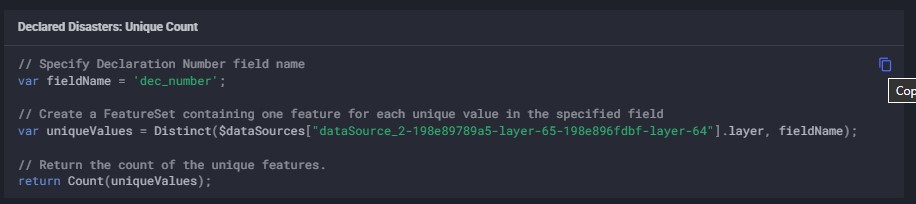
Source Code Buttons:
When you see a green button like the one below, it indicates a direct link to the live source code or Jupyter Notebook hosted in the GitHub repository.
View Example Source Code
📚 Glossary & Abbreviations
Emergency management relies heavily on technical acronyms, please refer to the table below for abbreviation definitions. Use the search box below to instantly filter the list or hover over these terms anywhere on the site to view the definition.